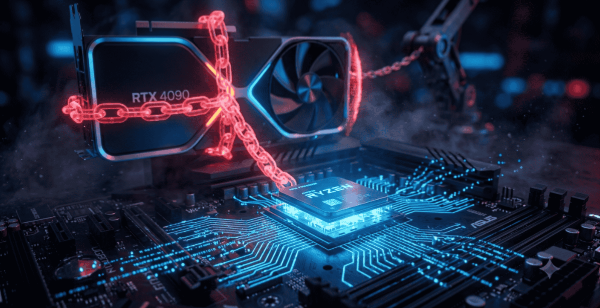
This is the main question on the internet. When you find that the frame rate of your computer is lower than expected despite owning a powerful graphics card, then chances are that you have something called a CPU bottleneck. In this situation, the processor of your computer is unable to perform at the same pace as other components of your system, and it is one of the most frequent reasons why people end up being unhappy with their new GPU purchase. In this guide, we will learn more about CPU bottlenecks.
What Is a CPU Bottleneck?
The term CPU bottleneck refers to the scenario when the processor is the weak point of your computer that does not allow you to use the graphics card to its fullest. Your GPU is able to render more frames, but the CPU is unable to supply enough data. This phenomenon is known as being processor-limited and should be distinguished from a CPU-GPU bottleneck, which refers to the weakness of the graphics card.
The majority of gamers look for keywords like CPU bottleneck gaming or central processing unit bottlenecked games because they experience frame rate drops and other problems with their computer performance, although they have relatively new components.
Common Signs of a CPU Bottleneck
Before learning how to fix CPU bottleneck issues, it helps to confirm that this is actually your problem. Watch out for these signs:
- Your GPU usage stays below 90 percent while gaming, even in demanding titles.
- Frame rates drop sharply in CPU-heavy areas such as crowded cities or large multiplayer battles.
- Task Manager shows your CPU running near 100 percent while the GPU sits idle.
- Performance feels choppy at lower resolutions but improves at higher resolutions.
If several of these apply to you, your system is likely CPU-bottlenecked in certain games. If you are unsure whether your CPU or GPU is holding your system back, you can check with a free tool like PC Builds Bottleneck Calculator before making any changes.
How to Help With CPU Bottleneck Problems
There are several practical ways to reduce or eliminate a computer's CPU bottleneck, ranging from free software tweaks to hardware upgrades.
-
Lower Background Processes
Close unnecessary browser tabs, chat apps, and background software before gaming. These programs quietly consume processor cycles and can worsen an existing CPU bottleneck.
-
Update Drivers and BIOS
Outdated chipset drivers and BIOS versions can cause your CPU to underperform. Keeping everything updated often resolves minor cases of processor bottlenecking without spending any money.
-
Adjust In-Game Settings
Lowering settings that rely heavily on the processor, such as draw distance, physics quality, and crowd density, can ease the load and reduce how often the game feels CPU-limited.
-
Increase Resolution or Enable Upscaling
Raising your resolution shifts more of the workload onto the GPU, which can mask a mild CPU bottleneck. Tools like DLSS or FSR can also help balance the load between components.
-
Overclock Your Processor
If your CPU supports overclocking, carefully raising the clock speed can add extra headroom and help fix bottlenecking in demanding titles. Always monitor temperatures closely when doing this.
-
Upgrade Your RAM Speed
Faster memory with lower latency can noticeably reduce a processing unit bottleneck, especially on platforms where the processor is sensitive to memory bandwidth.
-
Consider a CPU Upgrade
If software tweaks are not enough, upgrading to a newer processor is often the most reliable way to fix CPU bottleneck issues permanently. This is especially true if your current chip is several generations old compared to your graphics card.
Frequently Asked Questions
How do I clean up my PC so it runs faster?
Close unused programs, clear temporary files, and uninstall software you no longer need. Running Disk Cleanup and disabling unnecessary startup apps also frees up resources quickly.
Why is my PC really laggy all of a sudden?
Sudden lag is usually caused by a background process eating up resources, malware, or a driver that recently updated incorrectly. Checking the Task Manager right away usually reveals the cause. Microsoft's support community also has a detailed thread on fixing sudden PC lag and slow performance if the issue persists.
Why is my PC lagging but the internet is fine?
This means the slowdown is local, not network-related, so the problem lies in your CPU, RAM, storage, or overheating. Focus on system resources rather than your Wi-Fi or router.
How can I improve PC lag?
Restart your PC regularly, keep drivers updated, and avoid running too many programs at once. Freeing up storage space and checking temperatures also helps reduce lag over time.
Final Thoughts
Dealing with a CPU bottleneck can be frustrating, especially when you have already invested in a powerful GPU. The good news is that most cases can be improved through simple adjustments like closing background apps, updating drivers, tweaking in-game settings, or increasing your resolution. When these steps are not enough, upgrading your processor or memory will usually solve the problem for good. By identifying the signs early and applying the fixes above, you can finally get rid of a stubborn CPU bottleneck and enjoy smoother, more consistent gaming performance.