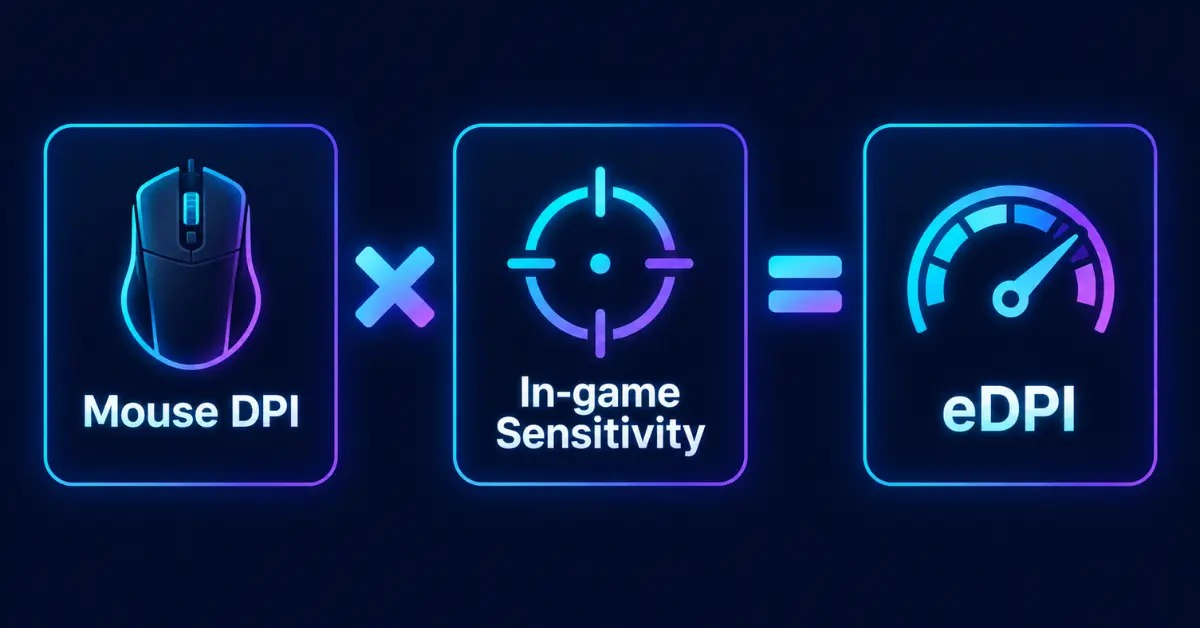
eDPI stands for effective DPI, and you get it by multiplying your mouse DPI by your in-game sensitivity. A player using 800 DPI with 0.4 in-game sensitivity has an eDPI of 320. It is one simple number that tells you how fast your cursor really moves, no matter which mouse or game you use.
That is why gamers and pro players share their eDPI when they talk about settings. In this guide you will learn what eDPI is, the formula, how to find yours step by step, and how it differs from DPI. You can also skip the math and use our eDPI Calculator to get your number in seconds.
What Is eDPI?
eDPI, or effective DPI, is a single number that combines your mouse hardware setting (DPI) and your in-game sensitivity. DPI means “dots per inch” and shows how far your cursor moves when you move the mouse one inch. In-game sensitivity then scales that movement again inside the game.
Neither number alone tells you how your aim really feels. Two players can both use 800 DPI, but if one plays at 0.2 sensitivity and the other at 0.6, their aim will feel very different. Effective DPI solves this by turning both settings into one comparable value.
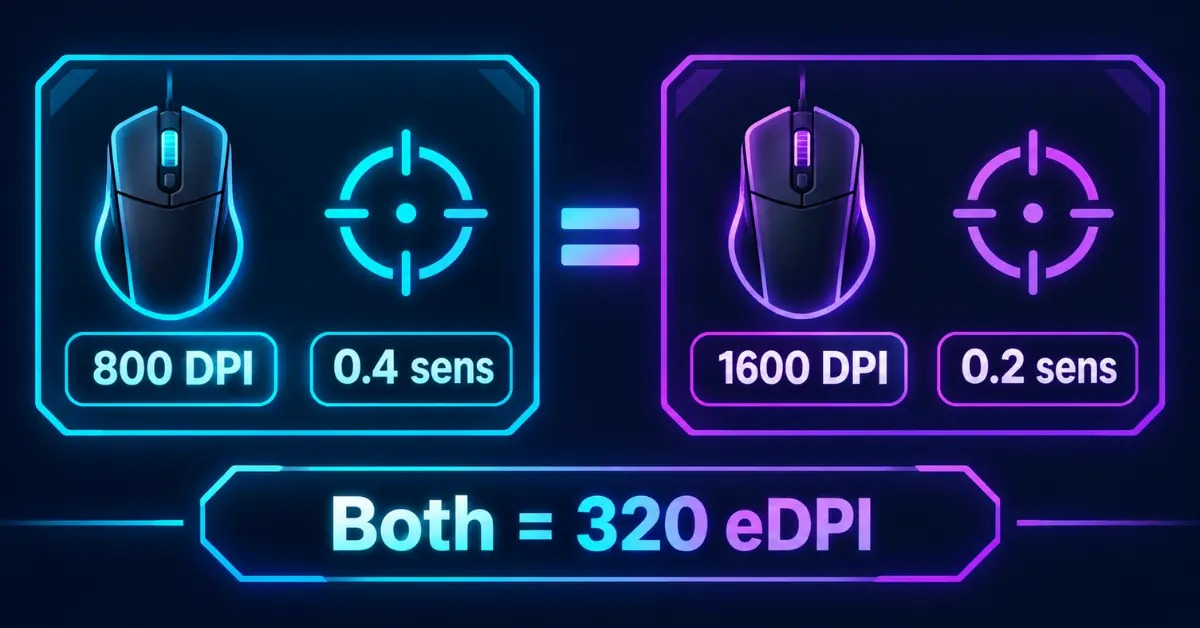
For example, 800 DPI × 0.4 sensitivity = 320 eDPI. Another player with 1600 DPI × 0.2 sensitivity also gets 320 eDPI. Their settings look different, but the cursor speed is the same.
eDPI Formula
The eDPI formula is simple:
eDPI = Mouse DPI × In-game Sensitivity
Here are a few examples:
| Mouse DPI | In-game Sensitivity | eDPI |
|---|---|---|
| 400 | 2.0 | 800 |
| 800 | 0.4 | 320 |
| 1600 | 0.25 | 400 |
The formula is the same in most shooters, but some games use a different sensitivity scale. Overwatch, for example, does not use the same scale as Valorant, so the same eDPI will not feel identical in both games. We cover this in the games section below.
How to Calculate Your eDPI (Step by Step)
You only need two numbers and a calculator.
Step 1: Find your mouse DPI
Open your mouse software or check the mouse specifications. We explain this in more detail in the next section.
Step 2: Check your in-game sensitivity
Open your game settings and look for the mouse or aim sensitivity value. In some games there are separate values for hip-fire and scoped aim. Use the main (hip-fire) value for your eDPI.
Step 3: Multiply the two values
Say your mouse is set to 800 DPI and your Valorant sensitivity is 0.35. Then 800 × 0.35 = 280. Your eDPI is 280.
Step 4: Or use a calculator
If you do not want to calculate manually, enter both numbers in our eDPI Calculator. It works for Valorant, CS2, Apex Legends, Overwatch, Fortnite and Rainbow Six Siege.
How to Find Your Mouse DPI
Many players do not know their exact DPI. Here are the easiest ways to find it:
- Mouse software: Logitech G Hub, Razer Synapse, SteelSeries GG and similar apps show your current DPI setting.
- DPI button and indicator: Many mice have a DPI button on top with an LED that shows the active level. Check the manual to see what each level means.
- Manufacturer website: Look up your mouse model to see its default DPI levels.
- DPI analyzer: If you are not sure, an online DPI analyzer can measure it. Move the mouse a fixed distance, such as 5 cm or 2 inches, and the tool estimates your DPI.
Remember that mouse software can store different DPI profiles. Make sure you check the profile you actually use while gaming.
DPI vs eDPI: What Is the Difference?
DPI and eDPI are related, but they are not the same thing.
| DPI | In-game Sensitivity | eDPI | |
|---|---|---|---|
| What it is | Mouse hardware setting | Game setting | Combined result of both |
| Where you change it | Mouse or mouse software | Game settings menu | Cannot be changed directly |
| Purpose | Controls raw cursor speed | Scales movement inside the game | Compares your overall sensitivity |
The key point is that you cannot set eDPI directly. You change it by adjusting DPI, in-game sensitivity, or both. That is also why two players with different DPI can have the same eDPI.
Why eDPI Matters
There are three main reasons to know your eDPI.
1. You can compare settings easily.
When a streamer or pro says they play at 280 eDPI, you immediately know how fast their sensitivity is, even if you use a different mouse.
2. You can keep the same feeling when you change your mouse.
If you move from a 400 DPI setup to 800 DPI, you can halve your in-game sensitivity to keep the same eDPI.
3. You can share your settings clearly.
One number is easier to share in a team or community than a full list of settings.
There is one limitation. eDPI works best when you compare settings inside the same game. For comparing different games, cm/360 (how many centimeters of mouse movement you need for a full 360° turn) is more accurate because every game has its own sensitivity scale. eDPI is still a great starting point, and cm/360 is the next step when you want precision.
What Is a Good eDPI?
There is no single perfect eDPI. The best value depends on your game, your mouse pad space, your grip and your playstyle. As a general rule, tactical shooters like Valorant and CS2 usually favor lower sensitivity, because precise aim and small crosshair adjustments matter more than fast turning.
A broad guide looks like this:
- Low eDPI: more control and precision, but you need more arm movement and more mouse pad space.
- Medium eDPI: a balance between control and turning speed.
- High eDPI: fast turning and wrist movement, but harder to stay precise.
Ranges differ by game, so check the dedicated guides: Best eDPI for Valorant and Best eDPI for CS2. Start with a value close to the average, play for a few days, then adjust in small steps.
How to Change Your eDPI
You can change your eDPI in two ways:
- Change your mouse DPI in your mouse software or with the DPI button.
- Change your in-game sensitivity in the game settings.
Most players keep their DPI at a common value such as 400, 800 or 1600 and use the in-game sensitivity for fine adjustment. This gives you smaller, more precise steps. If you want to lower your eDPI, reduce either value. If you want to raise it, increase either value.
Whenever you change something, change only one value at a time and give your hand a few sessions to adapt. Constant switching makes it hard to build muscle memory.
eDPI Across Popular Games
The eDPI formula is the same in many games, but the way each game scales sensitivity is different. Here is a quick overview.
- Valorant: Uses a low sensitivity scale, so values like 0.3 to 0.5 are common. Pro players often share their settings as DPI and sensitivity, and the community compares them by eDPI. See
- CS2 / CS:GO: Uses a different scale. As a rule of thumb, multiplying a Valorant sensitivity by about 3.18 gives the CS2 sensitivity for the same cm/360. So the same eDPI does not mean the same feel between the two games.
- Apex Legends: Similar scaling to the Source engine, so eDPI is useful for comparing settings, but check the separate ADS multipliers.
- Overwatch: Uses its own sensitivity scale, so Overwatch eDPI numbers cannot be compared directly with Valorant or CS2.
- Fortnite: Uses a percentage-based sensitivity, and many players track X and Y values separately.
- Rainbow Six Siege: Has separate sensitivity settings for different scopes, so check your base value first.
If you play more than one game, a sensitivity converter helps you match your aim across games.
Frequently Asked Questions
What does eDPI stand for?
eDPI stands for effective DPI. It is your mouse DPI multiplied by your in-game sensitivity, and it shows your overall mouse sensitivity as one number.
Is a higher eDPI better?
No. A higher eDPI is not better or worse by itself. Lower values usually give more precision, while higher values give faster turning. The best eDPI is the one that feels comfortable and consistent for your game and playstyle.
Is eDPI the same as DPI?
No. DPI is a mouse hardware setting, while eDPI combines DPI with your in-game sensitivity. Two players with different DPI can have the same eDPI.
How do I convert eDPI between games?
You cannot convert eDPI directly, because each game has its own sensitivity scale. Use a sensitivity converter or match your cm/360 instead.
Does mouse polling rate affect eDPI?
No. Polling rate controls how often the mouse reports its position to the computer. It does not change DPI, sensitivity or eDPI.
Can I use the same eDPI in Valorant and CS2?
Not for the same feel. The two games use different sensitivity scales, so the same eDPI will feel different. Convert your sensitivity, or match your cm/360, to keep the same aim.
Final Thoughts
eDPI is the easiest way to understand and compare your mouse sensitivity. Multiply your DPI by your in-game sensitivity, and you have a number you can share, compare and adjust with confidence. Remember that it works best inside one game, so use cm/360 or a converter when you move between games.
Ready to find yours? Enter your DPI and sensitivity in our eDPI Calculator and get your effective DPI instantly.