
Picking an internet plan usually comes down to one confusing number on a page. You spot "150 Mbps" and have no real way to tell if that's plenty or barely enough. Choose too little, and your video calls freeze at the worst possible moment. Choose too much, and you're paying every month for speed you'll never use.
So, is 150 Mbps good? Here's a straight answer, built around what streaming, gaming, and remote work actually require.
Quick answer: For most households of two to four people, 150 Mbps is good. It handles HD and 4K streaming, video calls, and everyday work-from-home tasks with room to spare. Bigger households or homes with serious gamers and heavy downloaders often want more.
What Does 150 Mbps Actually Mean?
Mbps stands for megabits per second, and it measures how much data your connection can pull in every second. That speed works out to roughly 18.75 megabytes per second, since there are 8 bits in a byte. That's fast enough to pull down a 5GB HD movie in under five minutes under ideal conditions.
One detail trips people up constantly. This speed you see advertised is almost always your download speed, not your upload speed. Cable plans often pair this fast download speed with a much smaller upload, sometimes just 10 to 20 Mbps.
If you send large files or host video calls often, check that upload number too, not just the headline figure.
Is 150 Mbps Good for Streaming?
Yes, comfortably. Netflix recommends around 5 Mbps for HD and roughly 15 Mbps per stream for 4K Ultra HD, and Amazon Prime Video and Disney+ ask for similar numbers.
On a 150 Mbps connection, you could technically run several 4K streams across different rooms at once and still have bandwidth left over.
In practice, most homes never come close to that ceiling. A single household watching one or two shows in HD or 4K, while someone else browses or scrolls social media, barely dents the broadband plan. Buffering on a connection this fast almost always traces back to your Wi‑Fi router or a weak signal, not the plan itself.
Is 150 Mbps Fast Enough for Gaming?
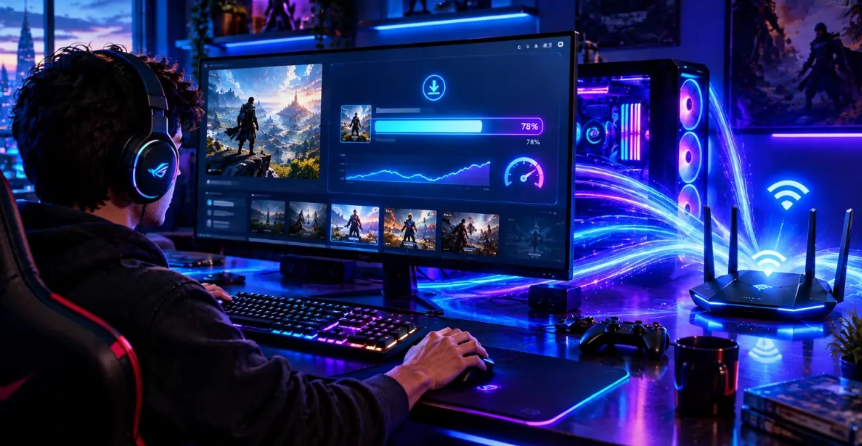
For most players, yes. Actual gameplay is surprisingly light on bandwidth, needing only around 3 to 6 Mbps according to guidance from Xbox, PlayStation, and Nintendo.
What matters far more for gaming is latency, or ping, since a laggy connection ruins a match long before a slow download speed does.
Where the 150 Mbps download rate genuinely helps is downloading the games themselves. Want to know how long a 50GB, 100GB, or larger game will take to download? Use our Download Time Calculator to get a quick estimate based on your internet speed.
Modern titles often run 50GB to 150GB per update, and at 150 Mbps you're looking at roughly 90 minutes for a 100GB download instead of several hours on a slower plan.
If multiple people in your house game and stream large downloads at the same time, that shared bandwidth can get tight fast.
Is 150 Mbps Good for Working From Home?
Yes, most of the time. Everyday remote work tasks—email, cloud file syncing, and VPN access—usually use between 5 and 25 Mbps. This is within what most plans offer. Video calls don't use much data either: even a 1080p HD Zoom call with several people uses less than 4 Mbps of upload per person.
The upload speed is what you should really check before assuming 150 Mbps is good enough for working from home. If your plan has 150 Mbps download but a slow upload speed, and two people are on video calls at the same time, things can bog down. Fiber connections are generally more reliable for remote work because their upload speeds match their download speeds.
How Many Devices Can 150 Mbps Handle?
There is no hard limit, as it really depends on the device and what you want to do. For example, a smart lightbulb and a 4K stream require vastly different bandwidth usage. As a general rule of thumb, most companies would say that 150 Mbps is enough for up to four users to use the internet for browsing, streaming, calling, and playing games at once.
Here's a typical breakdown for a three-person family:
- Up to two simultaneous HD or 4K streams: about 20–30 Mbps
- Videoconferencing from work: about 4 Mbps
- Online games: about 5 Mbps
- Other devices (smart speakers, smartphones): about 10 Mbps
And you still use less than half of your plan at that.
150 Mbps vs Other Internet Speeds
Numbers mean more with something to measure them against. Here's how 150 Mbps stacks up next to other common speed tiers:
| Speed | Best For | Typical Household |
|---|---|---|
| 100 Mbps | Browsing, HD streaming, one video call at a time | 1 to 2 people, light use |
| 150 Mbps | HD and 4K streaming, video calls, WFH, casual gaming | 2 to 4 people, moderate use |
| 200 Mbps | Multiple 4K streams plus heavier multitasking | 3 to 5 people |
| 300 to 500 Mbps | Big households, frequent large downloads, multiple gamers | 5+ people, heavy use |
| 1 Gbps and up | Content creators, smart-home heavy setups, power users | Large or high-demand households |
Signs You Might Need More Than 150 Mbps
150 Mbps becomes insufficient only when your household's actual usage exceeds that limit, regardless of any strict standards. Watch out for these signs:
- Buffering during peak hours: streams stutter when multiple people are online at once
- Choppy video calls in the evening: a sign the connection is being shared too thin
- Unusually long file downloads or uploads: especially for large work files
- Five or more heavy internet users in the household at the same time
- Two or more people streaming or gaming in 4K simultaneously
- Frequent large uploads as a regular part of your routine
If two or three of these apply to your household, it's worth considering an upgrade beyond 150 Mbps—typically to 300 Mbps or more.
Getting the Most Out of Your Connection
A few habits make this plan feel noticeably faster without upgrading anything. Connect your bandwidth-hungry devices (a gaming console, a smart TV, a work laptop) directly with an ethernet cable when you can, since Wi‑Fi always loses some speed to interference and distance.
Also worth checking: your router's age and Wi‑Fi standard. A router older than five years, or one running on the 2.4GHz band alone, will bottleneck the connection badly even though the plan itself is fine.
Upgrading to a modern Wi‑Fi 6 router often does more for everyday speed than upgrading your internet plan would.
For official information about broadband speed benchmarks and internet service, visit the FCC.
FAQs
Is 150 Mbps good for streaming in 4K?
Yes. Most 4K streams need about 15 Mbps, so 150 Mbps supports several at once with room left over.
Is 150 Mbps fast enough for online gaming?
Yes, for gameplay itself. Latency matters more than speed, though big game downloads go noticeably faster at 150 Mbps.
Is 150 Mbps good for working from home?
Yes, for most remote work setups, though it's worth checking your upload speed if you're often on video calls.
How many devices is 150 Mbps good for?
Most households can comfortably run several devices at once, generally enough for two to four people with mixed daily use.
Is 150 Mbps fast for the internet?
Yes. It sits well above the FCC's 100 Mbps broadband benchmark and covers nearly all everyday household needs.
Is 150 Mbps better than 100 Mbps?
It's noticeably more headroom, which matters most once a second or third person starts streaming, gaming, or calling at the same time.
Conclusion
So, is 150 Mbps good? For the average household of two to four people, yes, it comfortably covers HD and 4K streaming, video calls, remote work, and casual gaming with room left over.
It only starts to feel tight in bigger homes with several heavy users running demanding tasks at once, or when upload speed rather than download speed becomes the real bottleneck. Before you upgrade or downgrade a plan, it's worth running a quick speed test and counting how many people in your home are actually online at the same time, since that number matters more than the plan name on the bill.