How to Help with CPU Bottleneck: Every Confirmed Fix, Ranked by Cost
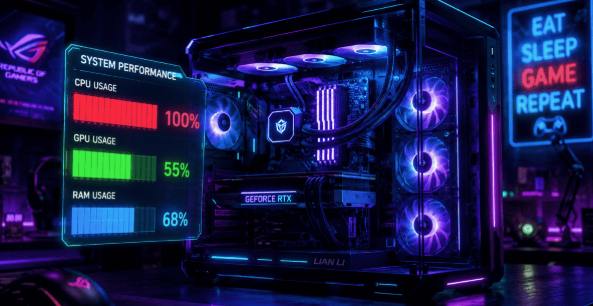
You bought the GPU everyone told you to buy. Then you booted up your game, watched your frame rate crawl, and pulled up MSI Afterburner to find your CPU pinned at 100% while your graphics card sits half-asleep. Now you're deep in forum threads where half the replies say "just overclock it" and the other half say "sell everything and rebuild." Neither answer is right for most people. This guide sorts the real fixes from the wasted money.
CPU Bottleneck: Quick Answer
A CPU bottleneck happens when your processor can't feed your GPU data fast enough, so your graphics card sits underused while your frame rate suffers. It's confirmed by watching Processor and GPU usage side by side — not by guessing from FPS numbers alone. Most cases are fixed with free software and settings changes before any hardware purchase is needed.
| Category | Detail |
|---|---|
| Fix Type | What it is |
| Central Processing Unit | can't prepare frames as fast as GPU can render them |
| Diagnosis | How to confirm |
| Central Processing Unit usage | near 100%, GPU usage well below it, across multiple games |
| Free | Most overlooked cause |
| Central Processing Unit overheating | and throttling |
| Free–Low cost | Settings that actually help |
| Settings | Shadows, draw distance, NPC/crowd density |
| Free | Settings that rarely help |
| Resolution, ray tracing, texture quality | N/A |
| Hardware fix | Central Processing Unit upgrade within current socket, or overclock |
The Problem Nobody Cleanly Explains
Most "how to fix CPU bottleneck" guides jump straight to buying a new processor. That's backwards. A CPU bottleneck and a completely unrelated issue — V-Sync capping your frame rate, thermal throttling, shader compilation stutter — can look identical on the surface. Skip the diagnosis step and you can spend real money solving nothing.
Before you touch your wallet, run this check: open a usage monitor, play the game that's struggling, and watch Central Processing Unit and GPU load at the same time. If you haven't done that yet, everything below is a guess, not a fix.
How to Actually Confirm a CPU Bottleneck
Free tools do this job well. MSI Afterburner with its on-screen display lets you watch CPU and GPU usage live while you play. If your CPU sits near 100% while your GPU usage stays noticeably lower — and that pattern repeats across more than one game — you're looking at a genuine Central Processing Unit bottleneck, not a one-off glitch.
Check per-core load too, not just the overall CPU percentage. Most bottlenecks come from a single core or thread getting saturated while the others sit half-idle, and the rolled-up average can hide that completely.
One caution worth repeating: low GPU usage does not automatically mean your Central Processing Unit is the problem. V-Sync, a frame rate cap, or thermal throttling can produce the exact same symptom. Confirm before you act, or you'll "fix" the wrong thing.
| Symptom | Likely Cause | How to Tell |
|---|---|---|
| High CPU %, low GPU % | Genuine CPU bottleneck | Confirmed across multiple games |
| Low GPU %, capped FPS | V-Sync or frame limiter | Check your settings menu first |
| Random FPS drops, high temps | Thermal throttling | Check core temps and clock speeds |
| Stutter, normal usage numbers | Shader compilation / storage streaming | Usually settles after a few minutes |
Free Fixes: What to Try Before Spending Anything
These are the fixes that solve most Central Processing Unit bottleneck cases outright, in the order worth trying them.
Close background clutter
Browser tabs, chat overlays, and startup apps compete for the same CPU cycles your game needs.
Enable XMP or EXPO in your BIOS
This lets your RAM run at its rated speed instead of a slow default profile — one BIOS trip, no cost, often a real difference.
Target CPU-heavy settings specifically
Shadows, draw distance, AI density, and crowd count lean on the processor far more than the graphics card does. Lowering resolution barely moves a true CPU bottleneck; lowering these settings usually does.
Update chipset and GPU drivers
Outdated drivers add Central Processing Unit overhead just translating instructions to your graphics card.
Set a frame rate cap
Capping FPS slightly under your CPU's natural ceiling smooths out frame pacing and reduces strain.
Fix your cooling
An overheating Central Processing Unit throttles itself to survive, and that alone can produce every symptom of a bottleneck. Fresh thermal paste or a better cooler often solves it without touching anything else.
Leave hyperthreading and e-cores on
Disabling them to "simplify" troubleshooting usually just removes processing power you actually need.
Hardware Fixes When Software Isn't Enough
If you've worked through every free fix above and you're still clearly Central Processing Unit limited, hardware is the next step in this order:
- Overclock, if your CPU and motherboard support it. A modest, stable overclock closes a real gap without a new purchase.
- Upgrade within your current socket first. A faster Central Processing Unit on the same motherboard is the most cost-effective jump available.
- Upgrade in phases, not all at once. Prioritize whichever component CPU or GPU is limiting you right now, and plan the rest as a staged build.
CPU Bottleneck vs. GPU Bottleneck
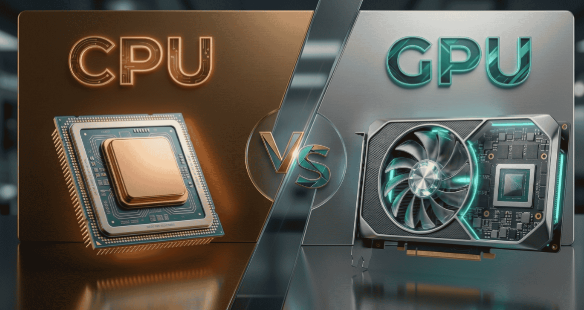
| features | CPU Bottleneck | GPU Bottleneck |
|---|---|---|
| What's maxed out | CPU usage near 100% | GPU usage near 100% |
| Feels like | Stutter, uneven frame pacing | Lower but steady FPS |
| Response to lowering resolution | Little to no change | Noticeable improvement |
| Common cause | AI, physics, crowd density, background apps | Ray tracing, high resolution, heavy shaders |
Ideally, your GPU should be the limiting factor, not your CPU — it's usually the most expensive part of the build, and it's the one meant to do the heavy lifting.
Frequently Asked Questions
Is there a way to fix a CPU bottleneck?
Yes — most cases clear up with free fixes like XMP/EXPO, cooling checks, and adjusting Central Processing Unit-heavy settings. Hardware upgrades are only needed if those don't close the gap.
How do I get rid of the CPU bottleneck?
Confirm it first with a usage monitor, then fix cooling, enable XMP/EXPO, and lower AI/crowd density settings before touching hardware. If it persists, upgrade your Computer Processor within your current socket.
Is 94% CPU bottleneck?
Not by itself — 94% CPU usage only signals a bottleneck if your GPU usage is sitting well below its own limit at the same time. Check both together, not CPU usage alone.
Is 70% CPU usage bad while gaming?
No, 70% is generally healthy and usually means your GPU is the harder-working component. A bottleneck shows up as the Central Processing Unit is near 100% while GPU usage lags behind it.
What are the top-rated CPU cooling solutions to prevent bottlenecks?
A quality air cooler like the Noctua NH-D15 or a 240–280mm AIO liquid cooler both keep modern CPUs well within safe thermal limits. Reapplying fresh thermal paste on your existing cooler often helps just as much.
How to help with CPU bottleneck
Start with free fixes — background apps closed, XMP/EXPO enabled, cooling checked, and CPU-heavy settings lowered. Only move to overclocking or a Central Processing Unit upgrade if those don't solve it.
Recommended processor upgrades for gaming performance improvement
Staying within your current motherboard socket for a faster same-generation Computer Processor is usually the most cost-effective upgrade. If you're due for a full platform change, prioritize higher single-core performance for gaming.
Which CPU upgrades are best for reducing bottlenecks in gaming PCs?
A same-socket Computer Processor upgrade with more cores and higher clock speeds closes most gaming bottlenecks without a full rebuild. For bigger gains, moving to a newer Central Processing Unit generation improves per-core performance most directly.
How to identify if my processor is limiting overall system speed?
Watch CPU and GPU usage together with a tool like MSI Afterburner while gaming or under load. If the Central Processing Unit sits near 100% while GPU usage stays noticeably lower, your processor is the limiting factor.
How can I identify if my PC has a CPU bottleneck?
Monitor CPU and GPU usage side by side across more than one game or task. A consistent pattern of high CPU usage next to underused GPU usage confirms it.
Conclusion
A CPU bottleneck feels like a broken part, but it's almost always a balance problem instead. Confirm it with real usage numbers before changing anything, since several unrelated issues mimic the exact same symptoms. Work through the free fixes first, background apps, XMP/EXPO, Computer Processor-heavy settings, cooling, and driver updates since these solve the problem more often than most people expect. Save the overclock or the new Central Processing Unit for after you've genuinely ruled everything else out. Run your setup through our Bottleneck Calculator before you buy anything, so you know exactly where your Computer Processor and GPU stand relative to each other first.