What Is a Good FPS for Gaming?
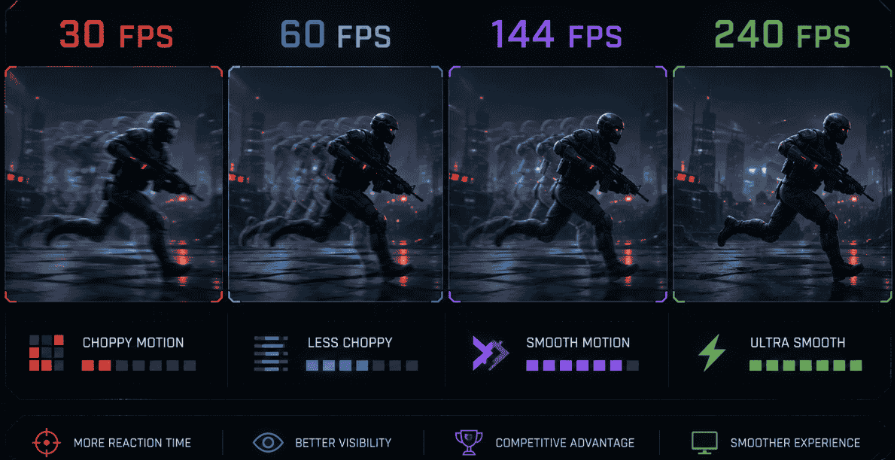
You just bought a new GPU. Your game hits 120 FPS. But something still feels off — choppy, delayed, wrong. Sound familiar? Most gamers never figure out why. They chase big numbers without knowing which number actually matters for their setup. The reality is that there is no single answer to what is a good FPS for gaming. This all depends on your game and monitor as well as the consistency of the performance.
Get those three things right and what is a good fps for gaming PC becomes an easy question to answer. Even a mid-range build can feel incredible. Get them wrong, and an expensive rig still feels broken.
What Does FPS Mean in Gaming?
FPS means frames per second. Every second, your GPU draws hundreds of still images back to back and your brain stitches them together into smooth motion.
A flipbook works the same way. Flip slowly and it looks choppy. Flip fast and the character actually moves. Your graphics card does completely that, just thousands of times faster. More performance means smoother gameplay, snappier response and cleaner visuals when things move fast on screen.
Why FPS Matters More Than You Think
Low FPS doesn't just look bad. It feels bad the moment you pick up your mouse.
Every frame takes a little bit of time to travel from your GPU to your eyes. At 60 frame rate that gap is around 16ms. Push to 144 frame rate and it falls to roughly 7ms. Hit 240 frame rate and you're under 5ms. In a competitive shooter, that's the difference between your bullet landing and your enemy already gone.
Not only does it make your gameplay more responsive, but increased frame rates mean no screen tearing and no fuzziness of fast movements. What we are talking about here is not a visual improvement, but rather a mechanical one.
What Is a Good FPS for Gaming (Real Answer)
Here's what most guides won't tell you: the best performance is the one your PC holds without dropping.
A locked 75 frame rate beats an unstable 120 frames per second every single time. Those drops — even brief ones — register as stutter in your brain immediately. Frame consistency is better than peak numbers.
Apart from stability, there are three elements you need for high performance: your choice of games, your monitor’s refresh rate, and how well you balance your hardware.
30 FPS Playable or Painful?
Thirty frame rate was the console standard for years. On a big TV playing a slow story game, it survives. On a PC monitor? It looks noticeably choppy. At 30 frames per second input lag is roughly 33ms; this results in slow reaction times that make actions feel unresponsive. On PC, it must be viewed as the bare minimum to avoid at all costs.
60 FPS The Casual Sweet Spot
This is where things actually start feeling good. Open-world RPGs, story games, cinematic adventures all hit differently at this performance. The jump from 30 feels massive the first time you experience it. Input lag sits around 16ms at this point which is more than enough for games where you are not racing to click heads.
Got your Elden Ring, Cyberpunk 2077 or Red Dead Redemption 2 on right now? A consistent 60 frame rate at max settings is definitely what you should go with. There is nothing wrong with going up to 120 frame rate; it doesn't make much sense for casual play.
144 FPS Where Everything Changes
This is the upgrade that ruins 60 frame rate forever. When you play at 144 frames per second, going back feels like gaming through mud.
At 144 FPS, motion clarity improves significantly. Fast movements like strafing, panning, tracking enemies look sharp instead of blurry. Input lag cuts nearly in half compared to 60 FPS. According to ProSettings.net, a 60 FPS setup carries end-to-end latency of 55–75ms. A 144 FPS setup brings that down to 30–45ms.
For most gamers in 2026, 144 FPS on a 144Hz monitor is the real sweet spot. It changes competitive shooters and makes every other game feel luxuriously responsive.
240 FPS Is It Actually Worth It?
Casual players? Honestly, skip it. Competitive players? Yeah, it actually matters.
The jump from 144 to 240 frames per second isn't as dramatic as 60 to 144 but it's not nothing either. Latency comes down to around 20 to 35ms at 240 FPS. In CS2 or Valorant, an enemy peeking a corner shows up on your screen noticeably faster. Duels in those games last under 200ms — every millisecond in that window matters.
Pro players run 300 to 400 frames per second on 240Hz monitors for exactly this reason. Pure latency reduction, nothing else. For everyone else though, 240 frames per second is only worth targeting if your PC hits it comfortably. Dropping frames while chasing 240 is worse than a locked 144. Stability first, always.
Good FPS for Gaming by Game Type
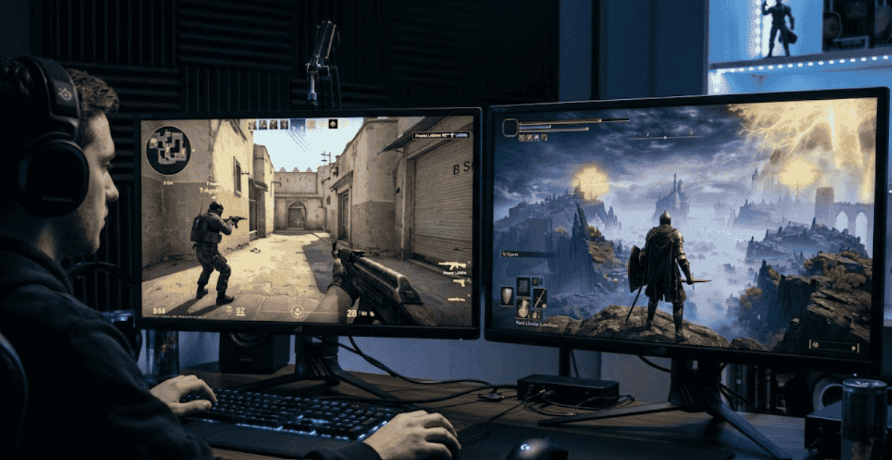
| Game Type | Minimum | Good | Ideal |
|---|---|---|---|
| Competitive FPS (CS2, Valorant) | 120 | 144 | 240+ |
| Battle Royale (Warzone, PUBG) | 60 | 100 | 144 |
| Single-player AAA | 30 | 60 | 100 |
| Open-world RPG | 30 | 60 | 90 |
| Sports and Racing | 60 | 120 | 144 |
| Strategy and Turn-based | 30 | 60 | 60 |
FPS vs Hz — Why Both Matter Together
Here's a mistake tons of gamers make. They push their GPU to hit 200 FPS but they're on a 60Hz monitor. They see exactly 60 frames. The other 140 are completely invisible, wasted GPU work.
On the other hand, if the monitor is operating on 240 Hz but the GPU operates on 80 frames per second, then the GPU will send three more frames before producing a new one to the monitor.
All you need to do is match up your frames per second to your display refresh rate. Make use of G-Sync and FreeSync technologies to do this and avoid screen tearing with no input lag like V-Sync.
What Makes FPS Feel Smooth
Raw frame count numbers only tell half the story. These three things determine whether your game actually feels smooth:
- Frame time consistency: Matters more than average frame count. If some frames take 4ms and others take 22ms, you'll feel stuttered even with a solid average number showing on screen.
- 1% lows: This is the lowest 1% of frames your system delivers over time. A game grading 120 but dropping to 45 during 1% lows will feel terrible in those moments. Tools like MSI Afterburner show your 1% low frame count clearly alongside your average.
- CPU and GPU balance: If your GPU pushes 180 FPS but your CPU can't process game logic fast enough you will get stutters and frame pacing issues disregarding your average framerate. A balanced build always outperforms a lopsided one. So before asking what FPS is good for gaming, first make sure your CPU and GPU are working together properly.
How to Check Your FPS Right Now
You can't fix what you can't measure. Here's how to see your current FPS:
- Steam overlay: Go to Steam Settings, then In-Game, and enable the frame count counter. Free and works on any Steam game.
- MSI Afterburner: The most detailed free option. Shows frame count, frame times, GPU temperature, and 1% lows all at once.
- NVIDIA GeForce Experience: Built-in performance overlay with one click display for NVIDIA users.
- In-game counters: Valorant, CS2, and most modern titles have built-in frame count displays hidden in settings. Check your video or display options.
Once you know your current performance, use an FPS calculator to estimate what your hardware can realistically deliver at different settings and resolutions. It stops you spending money on a GPU when your CPU is actually the bottleneck.
Conclusion
Knowing what is a good FPS for gaming changes every decision you make — what to buy, how to build, and how to play.
Sixty FPS is the floor for enjoyable gaming. One-forty-four is the sweet spot for most players today. Two-forty belongs to competitive players who need every millisecond they can get.
But always remember a stable, consistent FPS beats an impressive but unstable average. Match your FPS to your monitor and watch your 1% lows, and balance your CPU and GPU properly. Do those three things and your setup will feel better than specs suggest.
The best frame count isn't the highest number your PC can briefly touch. It's the number it holds without flinching.
FAQ’s (Frequently Asked Questions)
- Sixty FPS is perfectly enjoyable for casual and single-player games. On a budget build, target stable 60 at 1080p. Consistency matters far more than chasing higher numbers that cause stutters and drops.
- What is a good FPS for a gaming PC depends on your game but in competitive titles like CS2 or Valorant, 144 is the minimum serious player's target. At 240, input latency drops low enough that reactions feel instant rather than slightly delayed.
- It's tolerable for slow single-player games but not recommended. Thirty FPS on a PC monitor looks noticeably choppy and input lag at 33ms makes fast games feel unresponsive and frustrating.
- Not always. Unstable high FPS with bad frame times feels worse than a smooth locked lower FPS. Stability always comes first — high numbers come second.
- What is a good FPS for gaming depends on how you play. Casual gamers are fine at 60. Mainstream players hit their sweet spot between 100 and 144.
- Most professional CS2 and Valorant players target 300 to 400, even on 240Hz monitors, purely to reduce input latency to its absolute minimum possible level.